- PHP 70.3%
- Gherkin 22.1%
- JavaScript 6.1%
- Makefile 0.9%
- Shell 0.6%
|
|
||
|---|---|---|
| .github | ||
| .tx | ||
| appinfo | ||
| img | ||
| js | ||
| l10n | ||
| lib | ||
| LICENSES | ||
| screenshots | ||
| tests | ||
| vendor-bin | ||
| .gitignore | ||
| .php-cs-fixer.dist.php | ||
| AUTHORS.md | ||
| CHANGELOG.md | ||
| composer.json | ||
| composer.lock | ||
| Makefile | ||
| psalm.xml | ||
| README.md | ||
| rector.php | ||
| REUSE.toml | ||

Files access control
Nextcloud's Files access control app enables administrators to protect data from unauthorized access or modifications.
How it works
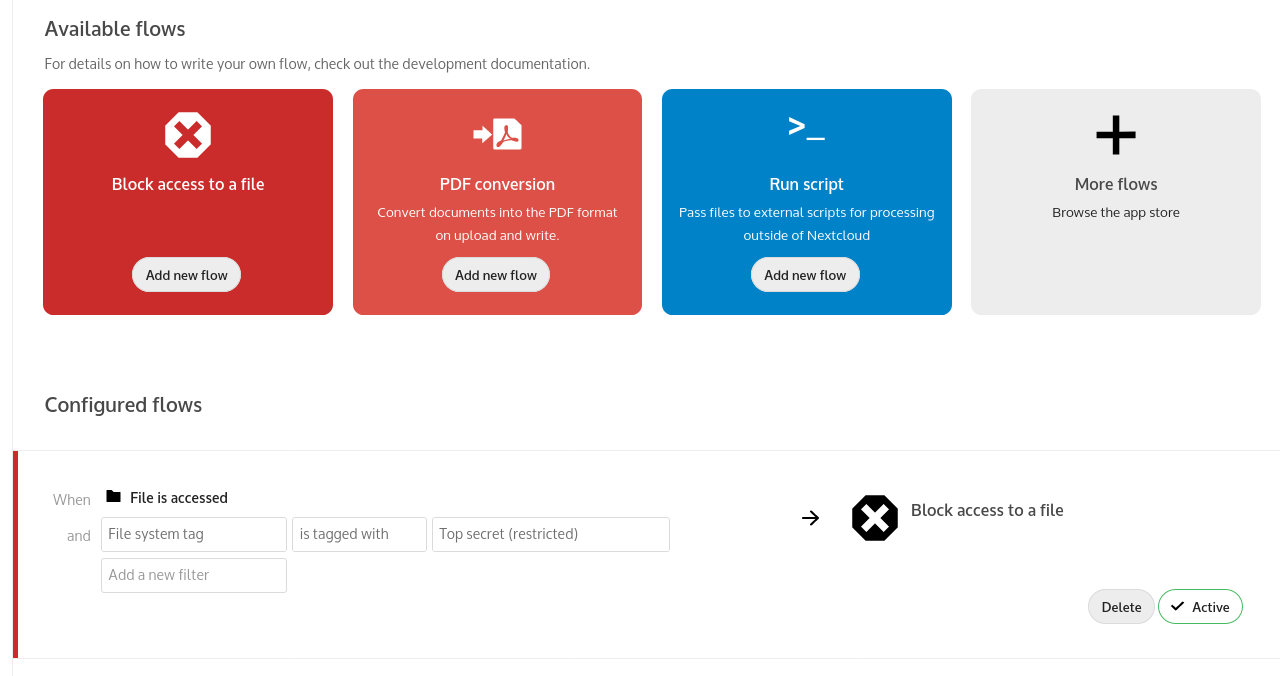
The administrator can create and manage a set of rule groups. Each of the rule groups consists of one or more rules. If all rules of a group hold true, the group matches the request and access is being denied or the upload is blocked. The rules criteria range from IP address, mimetype and request time to group membership, tags, user agent and more.
An example would be to deny access to MS Excel/XLSX files owned by the "Human Resources" group accessed from an IP not on the internal company network or to block uploads of files bigger than 512 mb by students in the "1st year" group.
Learn more about File Access Control on https://nextcloud.com/workflow and in the Files access control documentation