- JavaScript 70.1%
- PHP 16.1%
- Vue 11.7%
- TypeScript 1.5%
- Makefile 0.4%
- Other 0.2%
|
|
||
|---|---|---|
| .github | ||
| .tx | ||
| appinfo | ||
| css | ||
| docs/api | ||
| img | ||
| l10n | ||
| lib | ||
| LICENSES | ||
| playwright | ||
| src | ||
| templates | ||
| tests | ||
| .editorconfig | ||
| .eslintrc.js | ||
| .gitignore | ||
| .nextcloudignore | ||
| .php-cs-fixer.dist.php | ||
| .stylelintrc.js | ||
| AUTHORS | ||
| babel.config.js | ||
| CHANGELOG.md | ||
| composer.json | ||
| composer.lock | ||
| COPYING | ||
| krankerl.toml | ||
| Makefile | ||
| package-lock.json | ||
| package.json | ||
| playwright.config.ts | ||
| psalm.xml | ||
| README.md | ||
| REUSE.toml | ||
| webpack.config.js | ||

Notes
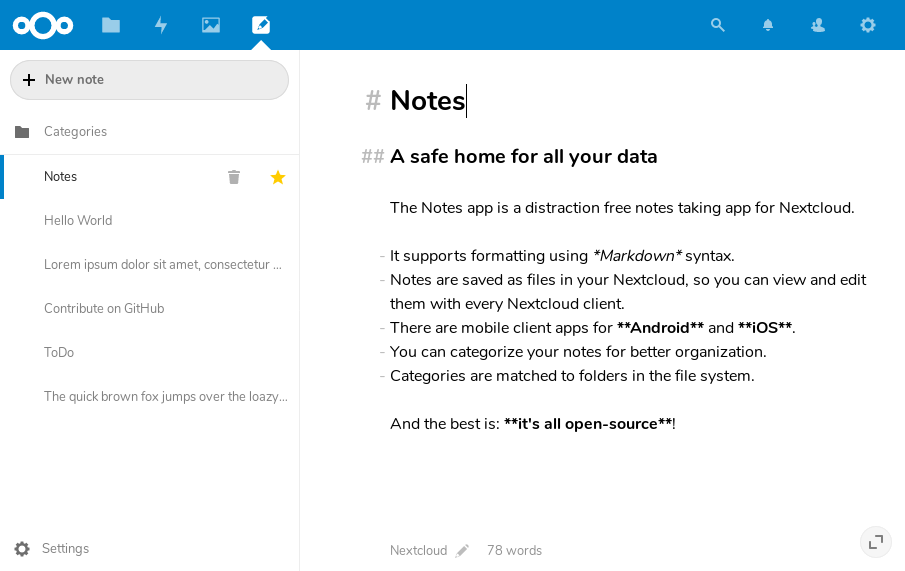
The Notes app is a distraction free notes taking app for Nextcloud. It provides categories for better organization and supports formatting using Markdown syntax. Notes are saved as files in your Nextcloud, so you can view and edit them with every Nextcloud client. Furthermore, a separate REST API allows for an easy integration into apps (Android, iOS, as well as 3rd-party apps which allow convenient access to your Nextcloud notes). Further features include marking notes as favorites.
🚀 Installation
In your Nextcloud, simply navigate to »Apps«, choose the category »Office«, find the Notes app and enable it. Then open the Notes app from the app menu.
Nextcloud will notify you about possible updates. Please have a look at CHANGELOG.md for details about changes.
❗ Bugs
Before reporting bugs:
- get the newest version of the Notes app
- please consider also installing the latest development version
- check if they have already been reported
👥 Maintainers
- Kristof Hamann
- Hendrik Leppelsack (formerly)
- Lukas Reschke (formerly)
⚠️ Developer Info


Building the app
- Clone this into your
appsfolder of your Nextcloud - In a terminal, run the command
make dev-setupto install the dependencies - Then to build the Javascript run
make build-jsormake watch-jsto rebuild it when you make changes - Enable the app through the app management of your Nextcloud
REST API for third-party apps
The notes app provides a JSON-API for third-party apps. Please have a look at our API documentation.
Admin configuration
It is possible to specify different defaults for the notes settings of new users using occ commands like these:
occ config:app:set notes noteMode --value="preview"
occ config:app:set notes fileSuffix --value=".md"
occ config:app:set notes defaultFolder --value="Shared notes"
| Setting | Property name | Default | Other available option(s) |
|---|---|---|---|
| Display mode for notes | noteMode | edit | preview |
| File extension for new notes | fileSuffix | .txt | .md |
| Folder to store your notes | defaultFolder | Notes | Custom |